20+ QR Code Types for Every Use Case
A practical tour of uqr.ai's 20+ QR code types, grouped by purpose, with a real scenario for each, plus what the free plan covers and what Premium unlocks.
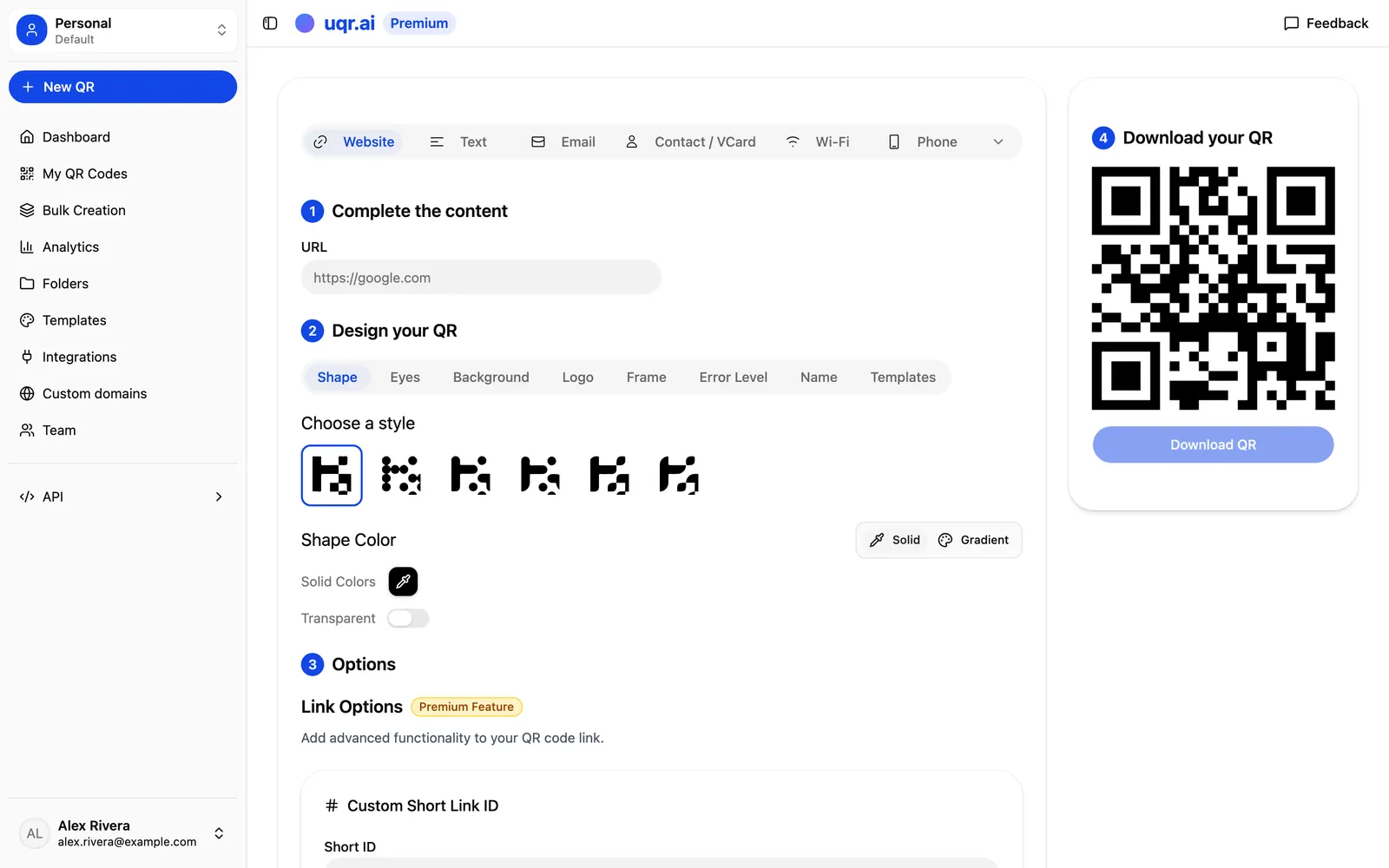
A QR code is only as useful as what it does after someone scans it. Point one at a website and you have a link, but point one at a contact card, a Wi-Fi network, or a PDF menu, and the little square becomes a tool that solves a real problem.
uqr.ai supports more than 20 QR code types, each built for a specific job. Below is a practical tour grouped by purpose, with a concrete scenario for each group, so you can match the right type to the moment your customer is standing in front of your code.
Links and social: send people where the action is
This is the most common group, and the one most people picture when they think of QR codes. These types route a scan straight to a destination on the web.
- URL — the classic. Send a scan to any web page: a product, a booking form, a sign-up.
- List of Links — a Linktree-style landing page with multiple buttons, hosted for you. One code, many destinations.
- Instagram, TikTok, YouTube, Facebook, X — dedicated types that drop people directly onto your profile or channel so they can follow in one tap.
Scenario: A coffee shop puts a single code on its counter. Instead of choosing between Instagram and TikTok, the owner uses a List of Links code that shows buttons for both social profiles, the loyalty sign-up, and the online order page. One sticker covers every call to action, and the owner can reorder or swap those buttons later without reprinting anything.
Contact and comms: start a conversation instantly
These types remove friction from the small actions people usually put off because typing is annoying.
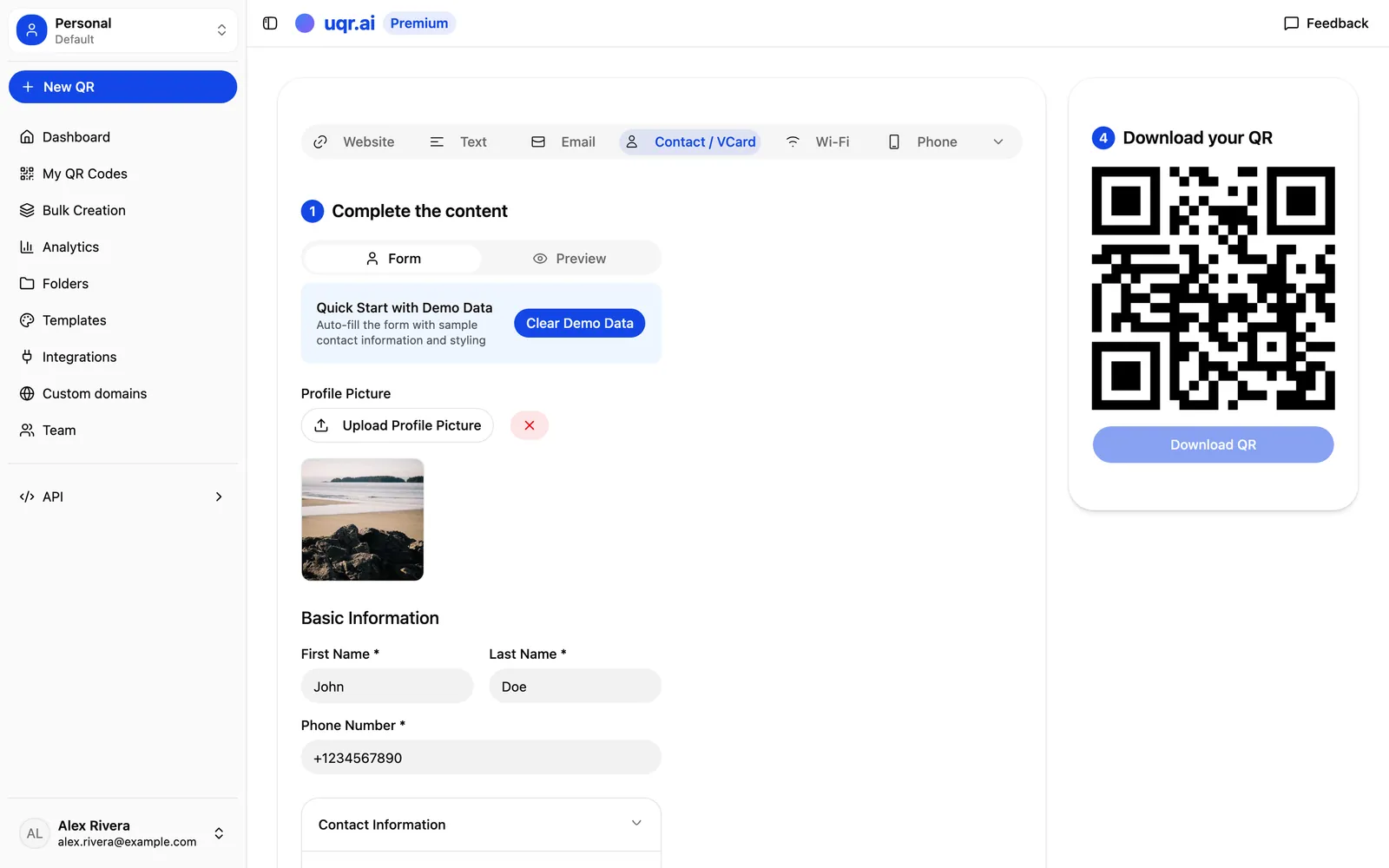
- vCard — a digital business card. One scan saves your name, title, phone, email, and website straight into the visitor's contacts.
- Email — opens a new message with the address (and optional subject and body) already filled in.
- Phone — launches the dialer with your number ready to call.
- SMS — opens a text message pre-addressed to you, optionally with a starter message.
Scenario: A real estate agent prints a vCard QR on every yard sign and brochure. A prospective buyer scans it on the spot, saves the agent's full contact details without a typo, and calls before they've even left the curb. No business card to lose, no number to mistype.
Content and files: hand over the document or media
Sometimes the thing you want to share is a file, not a link you happen to own. These types host and serve the content for you.
- PDF — perfect for menus, brochures, manuals, and spec sheets. Customers view the document in their browser, no app required.
- Image Gallery — present a set of photos: a lookbook, a portfolio, room shots for a rental.
- File Download — offer any file for download, from a price list to a warranty form.
- MP3 / Audio — play a clip: an audio guide, a track preview, a recorded message.
Scenario: A restaurant prints a PDF menu code on each table tent. When the seasonal menu changes, the kitchen uploads a new PDF and the same printed code now points to the updated file. The table tents never get reprinted, and the menu is always current.
Utility: solve the everyday friction
These types are quiet workhorses. They do one specific, useful thing the moment they're scanned.
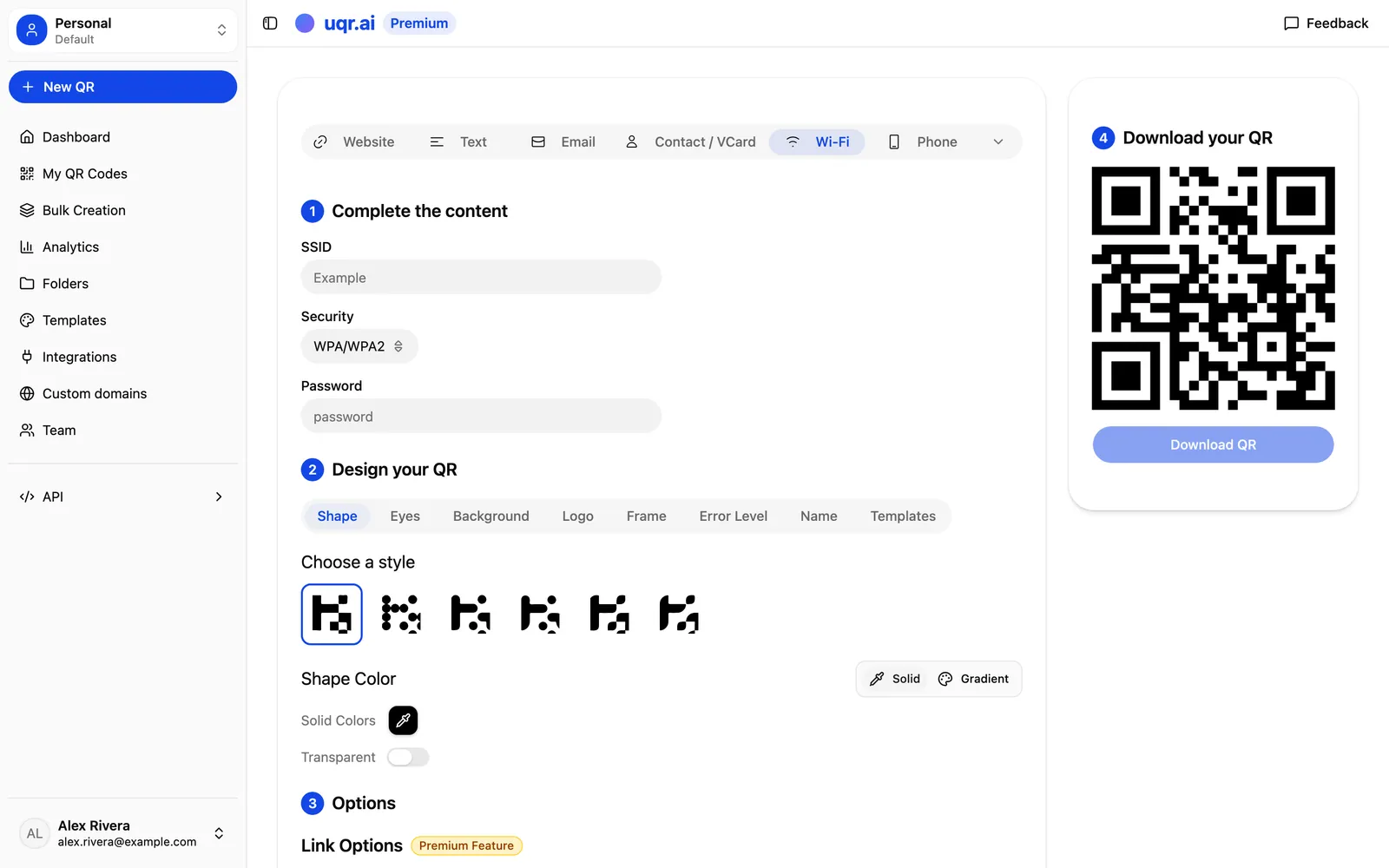
- Wi-Fi — connect a guest to your network automatically, no password typed by hand.
- Location / Maps — open directions to a precise spot in the visitor's maps app.
- Plain Text — display a short message offline: instructions, a code, a note. No internet needed to read it.
Scenario: A short-term rental host frames a Wi-Fi code by the door and a Location code in the welcome guide. Guests join the network in one tap and pull up directions to the nearest parking, instead of texting the host at 11pm asking for the password.
Match the type to the moment
Not sure which group fits your situation? This quick reference pairs a common goal with the type built for it.
| You want someone to... | Reach for this type | Typical scenario |
|---|---|---|
| Visit one web page | URL | A product page or booking form |
| Choose from several links | List of Links | A counter sticker with every call to action |
| Save your contact details | vCard | A yard sign or printed brochure |
| Call or text you | Phone / SMS | A support number on packaging |
| Read a document | A seasonal menu on a table tent | |
| Join your network | Wi-Fi | A guest network in a rental |
| Find your location | Location / Maps | Directions in a welcome guide |
How to pick and create the right type
Choosing is faster than it sounds. Work backwards from the action you want.
- Name the outcome. Do you want a follow, a call, a saved contact, a viewed document, or a network connection? That single answer usually points to one type.
- Pick the matching type in the generator. The fields adapt to your choice, so a vCard asks for contact details and a Wi-Fi code asks for the network name and password.
- Make it dynamic. A dynamic code lets you edit the destination later without reprinting. This is the core promise: QR codes that keep working after you print them.
- Customize and download. Add a center logo, your colors, and a framed call to action, then export as PNG or SVG for print or screen.
Because dynamic codes are editable, the type you choose today isn't a permanent commitment. You can update the content behind a printed code as your campaign evolves.
Tip Don't overthink your first choice. Since every uqr.ai code is dynamic, you can repoint a printed code at a new destination later, so the type you pick today is a starting point, not a final commitment.
What's free, and what Premium unlocks
Dynamic, editable codes work for everyone. The difference between the plans is the range of types you can build and the controls you get around them.
What the free plan covers
The free plan gives you unlimited QR codes, unlimited scans, codes that never expire, basic analytics with three months of history, basic customization, and a limited set of QR types, enough to ship a real campaign without paying.
What Premium unlocks
Premium unlocks the full range of 20+ types described above, plus advanced controls that matter at scale: full customization, advanced analytics with three years of history, password protection, link expiration, scan limits with custom redirects, country-based geolocation redirects, teams of up to five seats, advanced API access, and an email notification after each scan. Premium includes a 7-day free trial, credit card required, cancel anytime.
It's worth being precise here: dynamic, editable codes work for everyone. The advanced governance features, such as password protection, expiration, scan limits, geolocation, teams, and API access, are the Premium layer on top.
Note Dynamic, editable codes are not a paid extra. They work on every plan. Premium adds the governance and scale features on top, not the basic ability to edit where a code points.
Key takeaways
- uqr.ai offers 20+ QR code types grouped into four jobs: links and social, contact and comms, content and files, and utility.
- The fastest way to choose is to name the outcome first, then pick the type whose fields match it.
- Every code is dynamic, so you can repoint a printed code at a new destination without reprinting.
- The free plan covers unlimited codes, unlimited scans, codes that never expire, and a limited set of types.
- Premium opens the full range of types plus advanced controls like password protection, geolocation, teams, and API access.
Ready to match a type to your next campaign? Create a QR code in minutes, explore all features, or start a free 7-day trial to unlock the full range of types and controls.