Geolocation Redirects: Show the Right Content in Every Country
One QR code, different destinations per country, so every scan lands on the localized page, regional store, or app listing that fits the visitor.
One QR code on a product box, a poster, or a print ad travels further than you expect. The same sticker scanned in Toronto, Tokyo, and Berlin should not always lead to the same place.
A visitor in Germany wants German copy and euro pricing. A visitor in Japan needs the Japanese App Store, not the American one. In some markets, you may even be legally required to show a different consent or compliance page. Geolocation redirects solve all of this with a single code: you set it up once, define where each country should land, and every scan quietly routes to the right destination based on where the visitor is. No second code, no reprinting, no guessing.
What country-based redirects actually do
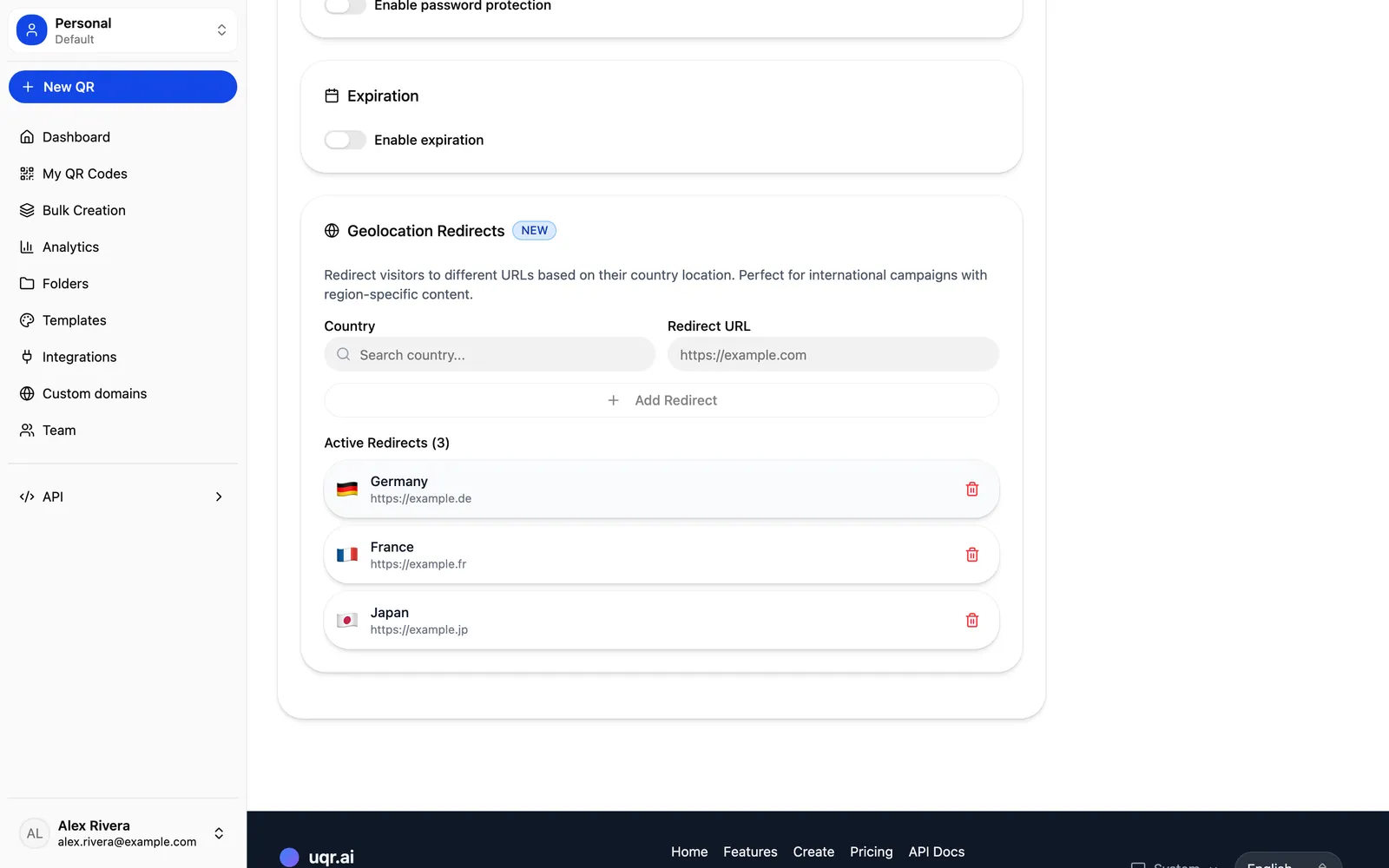
A normal dynamic QR code points everyone to one URL that you can edit anytime. A geolocation redirect adds a layer on top: instead of a single destination, you map destinations to countries. When someone scans, uqr.ai checks the visitor's country and forwards them to the URL you assigned to that region. Everyone else falls through to a default destination you choose.
The key benefit is that this lives entirely in the link, not in the printed code. The QR image you printed last month never changes. You are only editing the routing rules behind it. That is the whole promise of dynamic QR codes: they keep working after you print them.
Note Geolocation redirects are a Premium feature. Dynamic, editable QR codes are available to everyone, but the advanced routing controls, including country-based redirects, scan limits, password protection, and link expiration, are part of the Premium plan, which includes a 7-day free trial.
Use cases worth setting up
Geolocation routing earns its keep anywhere your audience crosses borders. Here are the four scenarios where it pays off fastest.
Localized landing pages and language
If you ship to multiple markets, a single English landing page leaves money on the table. Point each country to its localized page so visitors read your offer in their own language, with the right currency, shipping terms, and tone. One code on the packaging, the right experience everywhere it lands.
Region-specific stores and pricing
Pricing, availability, and promotions rarely match across borders. Send each country to the storefront that reflects its catalog and prices, so a scanner never sees a product they cannot buy or a price in the wrong currency.
Country-specific app store links
App stores are regional. A QR code on a flyer can route traffic to the correct store listing per country, so a scan in one market does not dead-end on a listing that is not available there. Point each country rule at the right store URL and let geolocation handle the rest.
Compliance and consent pages
Different regions have different legal requirements for disclosures, consent, and data handling. Geolocation lets you route visitors in specific countries to the compliance page they are supposed to see, while everyone else continues to your standard destination. One code stays compliant across markets without separate print runs.
How it works, step by step
Setting up a geolocation redirect takes only a few minutes.
- Create a dynamic QR code, or open an existing one you have already printed.
- Set a default destination. This is where any visitor lands if their country is not specifically mapped.
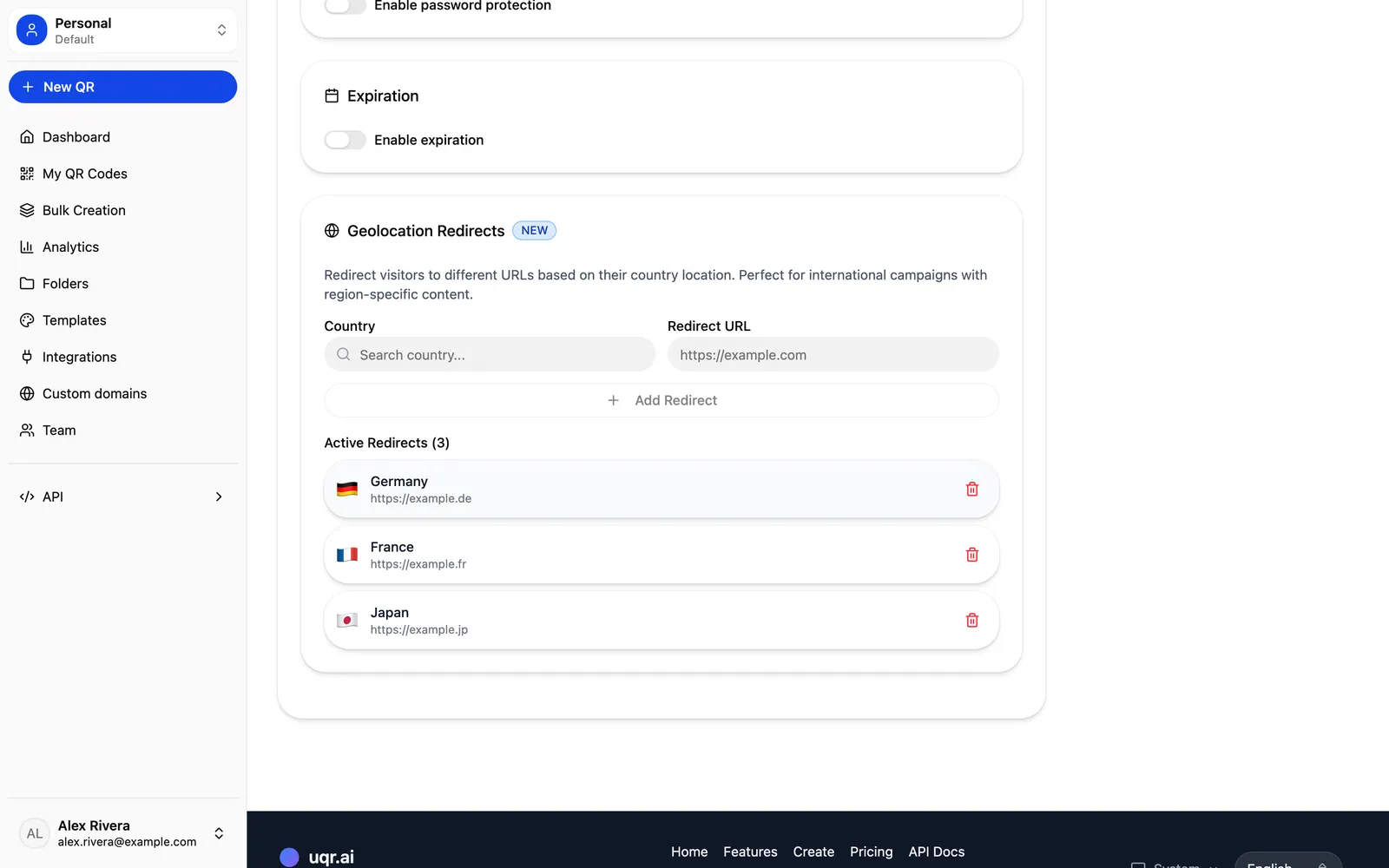
- Add country rules. For each country (or group of countries), assign the exact URL you want those visitors to reach.
- Save. The printed code is untouched, and every scan now routes by country automatically.
- Edit anytime. Add a new market, swap a localized page, or update a compliance link whenever you need to, without reprinting anything.
Because the destinations are just URLs, this works alongside the rest of the platform. Your geolocation rules can point to localized List of Links landing pages, PDFs, store URLs, or any of the 20+ QR types uqr.ai supports.
A concrete example
Say you are launching a consumer product with one printed insert that goes into every box worldwide. You print a single QR code on that insert. Behind it, you set up geolocation:
| Visitor's country | Where they land |
|---|---|
| Germany and Austria | German-language product page with euro pricing |
| Japan | Japanese landing page and the regional app listing |
| United States | US store with dollar pricing and US shipping details |
| Everyone else | Default: a clean English page covering the basics |
Three months later you open a new market. You add one country rule and point it at the new localized page. The inserts already in warehouses and customers' hands keep working, now pointing to content that did not exist when they were printed. That is the difference between a static code and a dynamic one.
Pair it with dynamic codes and analytics
Geolocation redirects are most powerful when you treat them as one part of a dynamic, measurable system rather than a one-off setting.
Because the code is dynamic, you can keep refining where each country lands long after the print run. If a localized page underperforms or a promotion ends, you update the rule and move on. Nothing about the physical code changes.
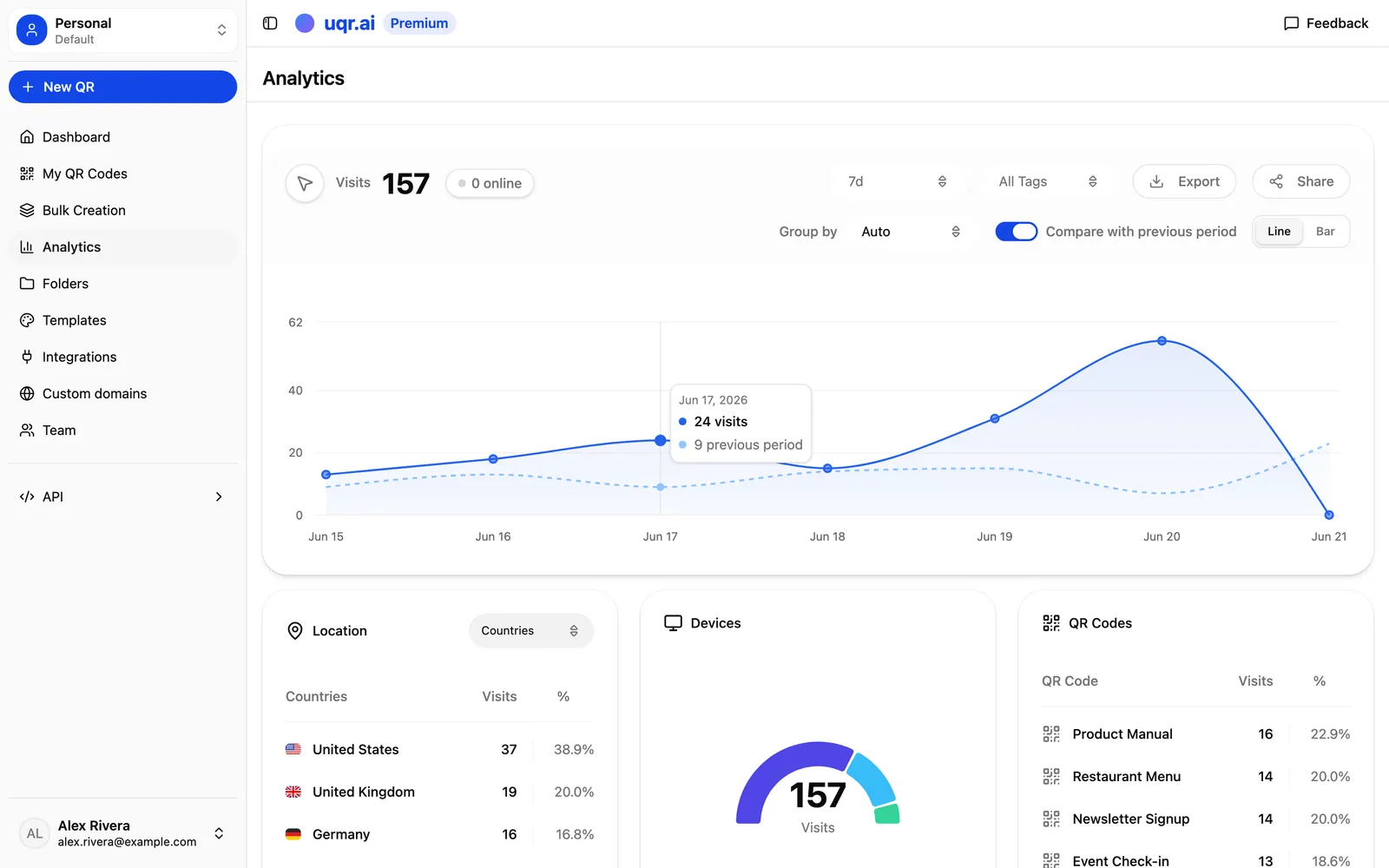
On the analytics side, uqr.ai gives Premium users advanced analytics with up to three years of history, real-time scan tracking, geographic heatmaps that show exactly where scans happen worldwide, and device analytics. That geographic view is the natural companion to geolocation redirects: you can see which countries are actually scanning, confirm your routing matches real demand, and decide where it is worth building a dedicated localized destination next. You can also export to CSV or share a public analytics dashboard with your team.
It is worth being clear about plans. The free plan includes unlimited QR codes, unlimited scans, codes that never expire, and basic analytics with three months of history. Geolocation redirects, advanced analytics, the full range of QR types, advanced customization, and team collaboration up to five seats are Premium.
Tips for getting it right
Tip Your default destination does most of the work. Most of the world will not have a custom rule, so make the default a genuinely good experience that stands on its own.
- Start with your biggest markets. You do not need a rule for every country. Map the regions that matter most and let the rest fall through to the default.
- Match content to the routing. A German rule should point to genuinely localized content, not just a translated header. The redirect is only as good as the page behind it.
- Watch the heatmap. Let real scan data tell you where to invest in the next localized destination.
Key takeaways
- One dynamic QR code can route visitors to different URLs based on their country, with no reprinting.
- The routing lives in the link, so the printed code never changes when you edit rules.
- Common wins include localized pages, regional stores, country-specific app listings, and compliance pages.
- Always set a strong default destination for visitors without a custom rule.
- Geolocation redirects and geographic analytics are Premium, and Premium includes a 7-day free trial.
Ready to route every scan to the right country? Start a free 7-day trial to unlock geolocation redirects and advanced analytics, explore all features, or create a QR code to get started in minutes.