Password-Protected & Expiring QR Codes: Control Who Scans and When
Password protection, link expiration, and scan limits with custom redirects let you decide exactly who reaches your QR content and when.
Not every QR code should open for everyone, forever. Sometimes the content behind the scan is a limited promotion, a confidential document, a time-boxed event pass, or an exclusive drop that only the first few people should reach. A plain QR code can't tell the difference between the right scan and the wrong one — a dynamic one can.
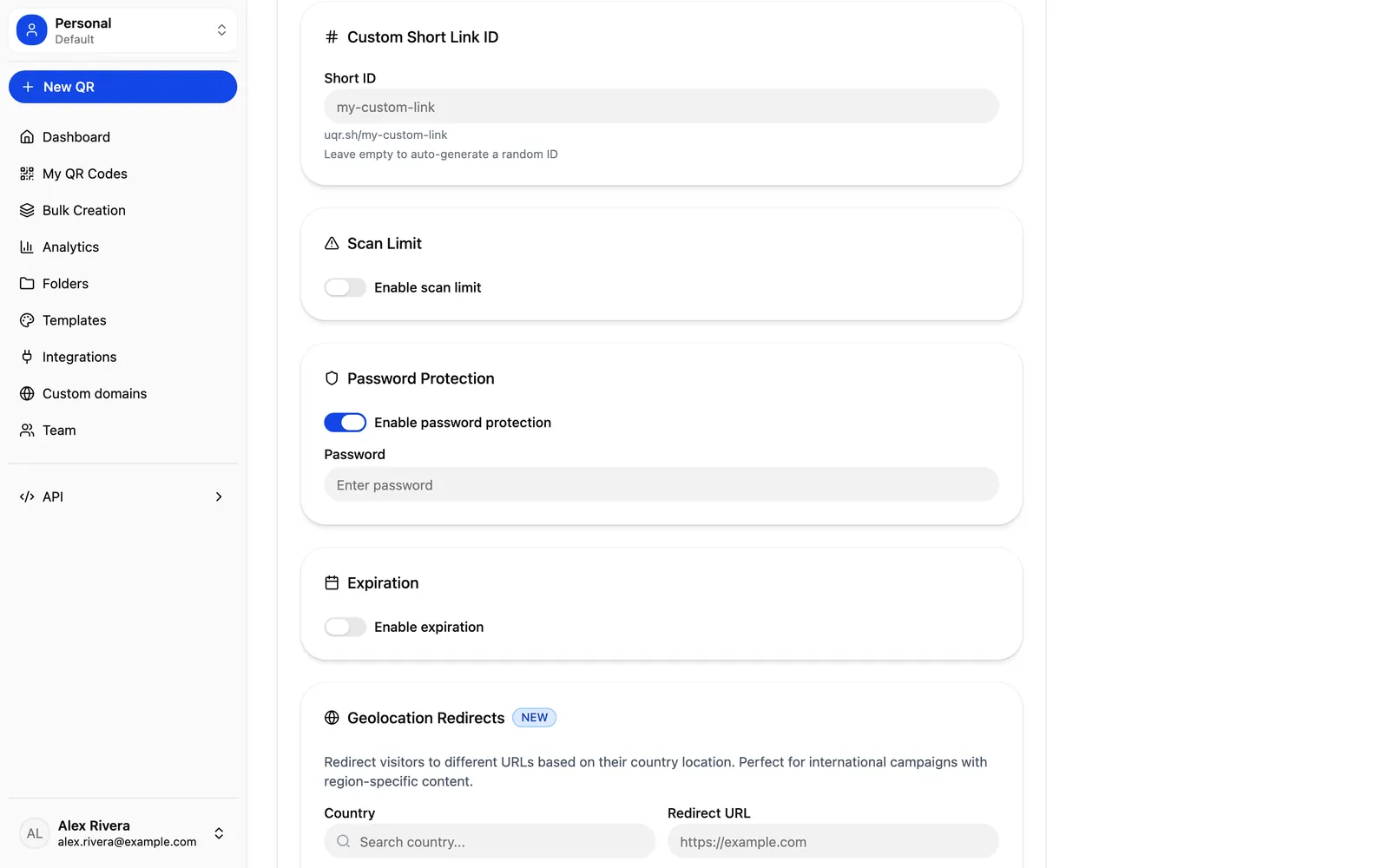
uqr.ai gives you three control features that decide who gets through and when: password protection, link expiration, and scan limits with custom redirects. Together they turn a static-looking square into a gate you can actually manage. These are Premium capabilities, so here's exactly what each one does, how to set it up, and where it earns its keep.
Why control matters for dynamic QR codes
Dynamic QR codes already solve the biggest problem with print: you can edit the destination anytime without reprinting the code. That alone keeps a code working long after the poster, packaging, or flyer ships. Editing the destination is available to everyone.
But controlling access is a different job. Editing changes where a scan goes. Control features decide whether a scan should resolve at all, and what happens when the conditions you set are no longer met. That's the layer that makes a single QR code safe to put on a private document, responsible to use for a flash sale, and reliable for an event that ends at a specific time.
Password protection: gate content behind a password
Password protection puts an access screen between the scan and your content. When someone scans, they're prompted for a password before the destination loads. Share the password with the people who should have access, and the QR code becomes a private door rather than an open one.
This is useful any time the physical code might be seen by more people than should reach the content. A printed code can be photographed, forwarded, or left on a desk. A password means seeing the code isn't the same as getting in.
Good fits for password protection
- Private documents — a PDF, file download, or internal resource you only want a specific group to open.
- Members-only content — a List of Links landing page or gallery reserved for a paying or invited audience.
- Internal materials — onboarding docs, pricing sheets, or process guides that shouldn't be public.
You can also apply password protection to your shareable analytics dashboard, so the public link to your scan data stays restricted to the people you choose.
Tip A printed code can be photographed, forwarded, or left on a desk. Password-gating means seeing the code isn't the same as getting in — pair it with email notifications to know the moment someone unlocks a private document.
Link expiration: auto-expire time-sensitive content
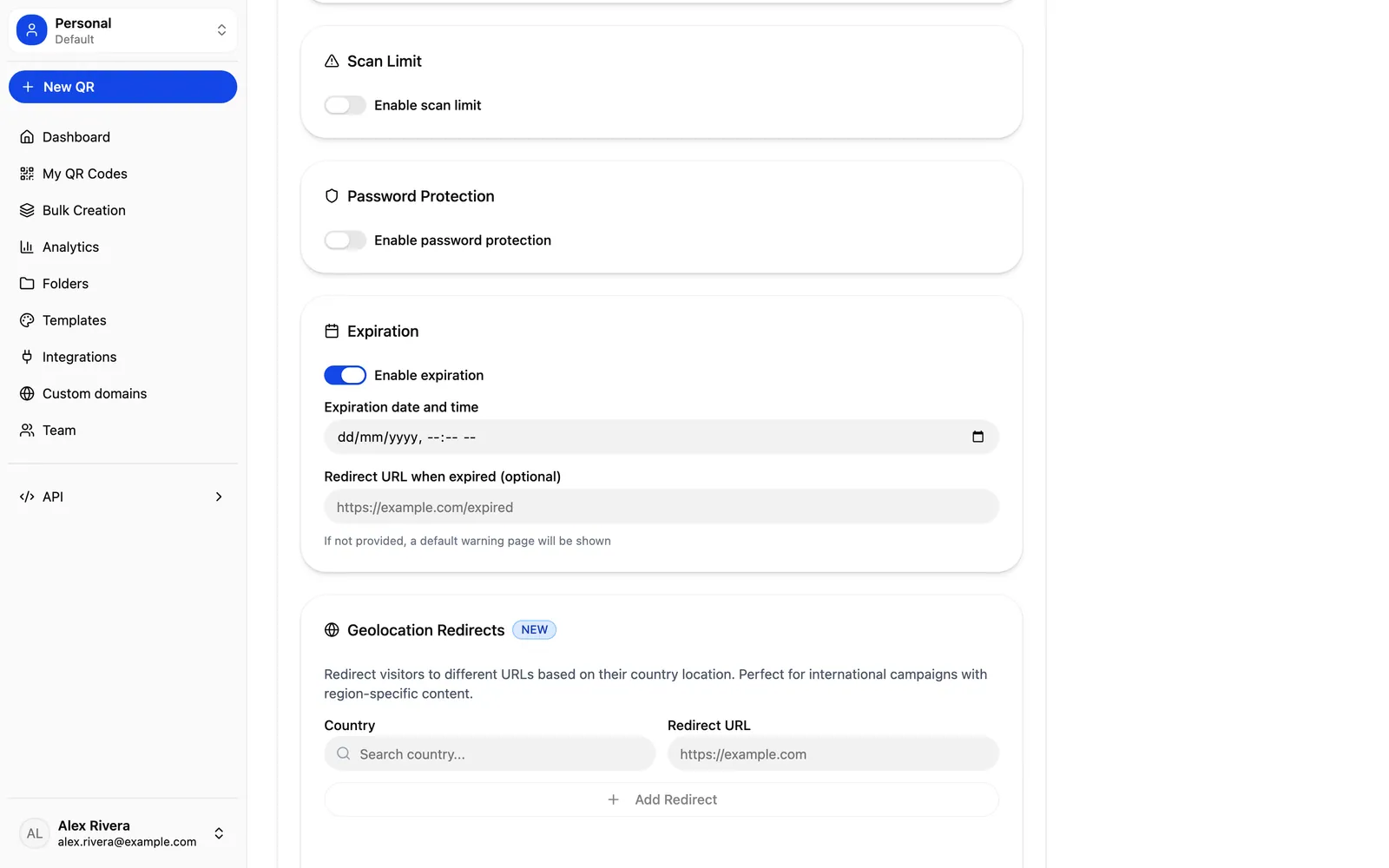
Link expiration sets an automatic end date for a QR code's content. Before the date, scans resolve normally. After it, the content is no longer served, and you can point expired scans to a custom redirect instead — so people who scan late land somewhere useful rather than on a dead end.
This removes the manual cleanup that time-sensitive campaigns usually require. Instead of remembering to switch off a promo or take down an offer, you set the expiry once and let it handle itself.
How to set up an expiring QR code
- Create a dynamic QR code for your destination — a URL, PDF, landing page, or any supported type.
- Open the code's controls and enable link expiration.
- Choose the expiration date and time that matches your campaign or event window.
- Set a custom redirect for scans that arrive after expiry — for example, your homepage, a "this offer has ended" page, or your next campaign.
- Download the code as PNG or SVG and print or publish it. The code on the page never changes; the behavior does.
Scan limits with custom redirects: cap scans, then redirect
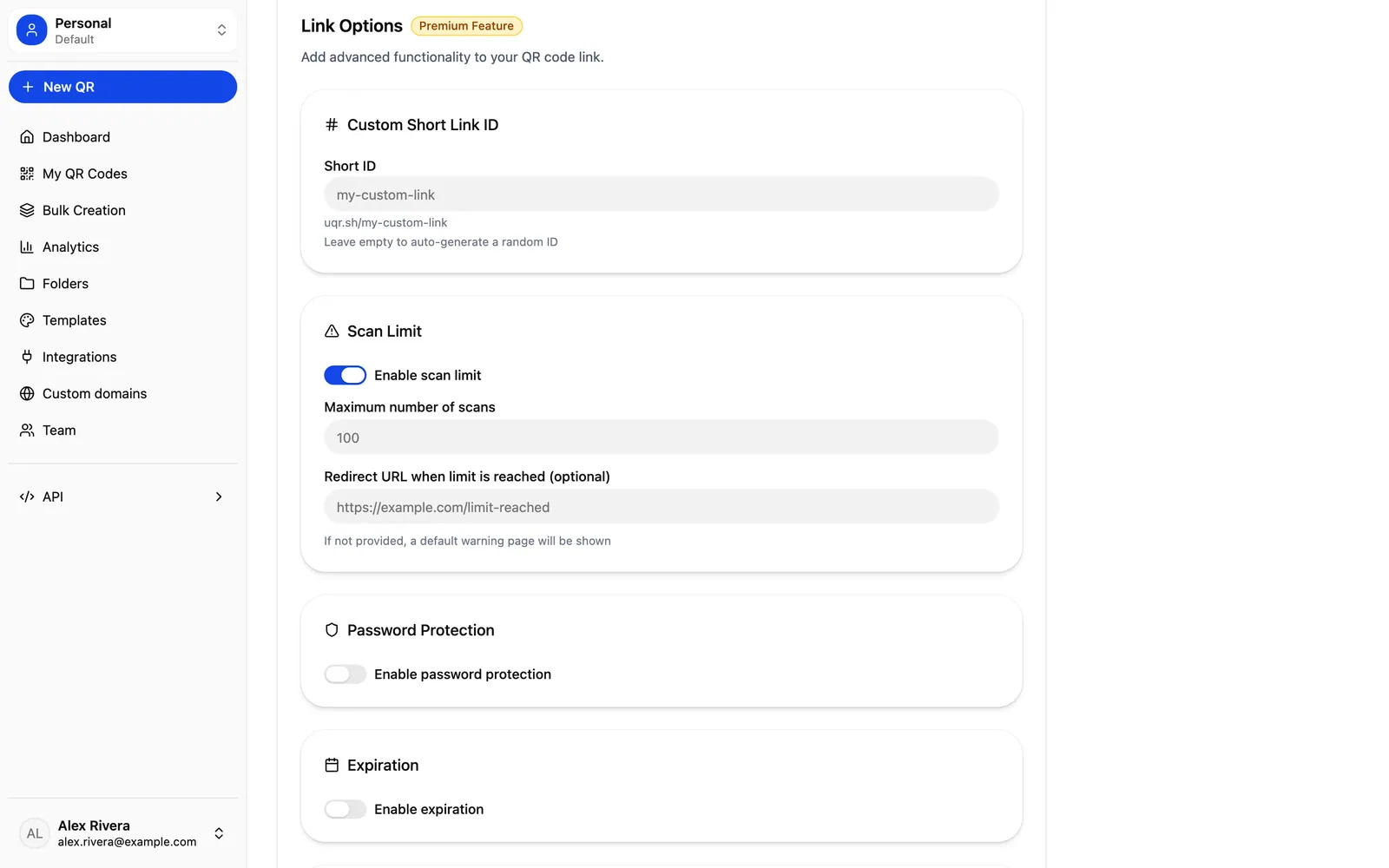
Scan limits cap how many times a code can be scanned. Once the cap is reached, the code stops serving its original content and sends additional scanners to a custom redirect you define. This is built for scarcity: when supply is finite, the QR code enforces it instead of relying on you to pull the offer in time.
The redirect is what makes the cap graceful. The first scanners get the reward; everyone after gets a clear next step — a waitlist, a "sold out" page, or an alternative offer — rather than a broken experience.
A concrete example: a limited exclusive drop
Say you're releasing a limited run of a product and want the first 100 customers to get an exclusive bonus. You create a dynamic QR code that links to the bonus claim page, set a scan limit of 100, and set the custom redirect to a "this drop is closed — join the list for the next one" page. You print the code on packaging and in-store signage.
- The first 100 scans reach the bonus and claim it.
- Scan 101 onward is automatically redirected to your waitlist page.
- You never have to manually disable anything, and no one hits a dead link.
The same mechanic works for limited promos, first-come discount codes, and any campaign where the value depends on being capped.
Combine controls with the rest of the platform
These features work best alongside everything else a dynamic QR code already gives you. Because the codes are editable, you can adjust the destination, the expiry, or the limit as a campaign evolves — without reprinting. Advanced analytics with up to three years of history show you real-time scans, geographic heatmaps, and device breakdowns, so you can see exactly when a code hit its limit or how traffic moved before an expiry.
Premium also adds related controls worth knowing about:
- Country-based geolocation redirects — show different content depending on the visitor's country, useful when an offer or document varies by region.
- Email notification after each scan — get notified as scans happen, which pairs naturally with low scan limits and private documents.
- Teams — create a team with up to 5 seats and invite members to collaborate on protected campaigns together.
What's free and what's Premium
To be clear about where the line sits: dynamic, editable QR codes work for everyone, and the free plan includes unlimited QR codes, unlimited scans, codes that never expire, and basic analytics with three months of history. The three control features in this post are all Premium.
| Capability | Free | Premium |
|---|---|---|
| Dynamic, editable QR codes | Included | Included |
| Unlimited QR codes & scans | Included | Included |
| Analytics history | 3 months (basic) | Up to 3 years (advanced) |
| Password protection | — | Included |
| Link expiration | — | Included |
| Scan limits with custom redirects | — | Included |
| Geolocation redirects & teams (up to 5 seats) | — | Included |
Note Premium includes a 7-day free trial (credit card required, cancel anytime), so you can build a real password-gated document or a capped promo and watch it behave before committing.
Key takeaways
- Password protection gates content behind an access screen, so seeing the code isn't the same as reaching what's behind it.
- Link expiration auto-ends time-sensitive content on a date you choose and forwards late scans to a custom redirect.
- Scan limits cap total scans and redirect everyone past the cap — perfect for limited drops and first-come offers.
- All three are Premium, but the printed code never changes; only its behavior does, so nothing needs reprinting.
- Pair these controls with advanced analytics, geolocation, and email notifications to manage protected campaigns end to end.
Ready to control who scans and when? Start a free 7-day trial to unlock password protection, expiration, and scan limits, or create a QR code to get started. You can also explore all features to see how these controls fit alongside branded design, analytics, and bulk generation.